Flying Car AI

One vehicle photo. The complete ramp stunt.

View

Flying Car AI Video Studio

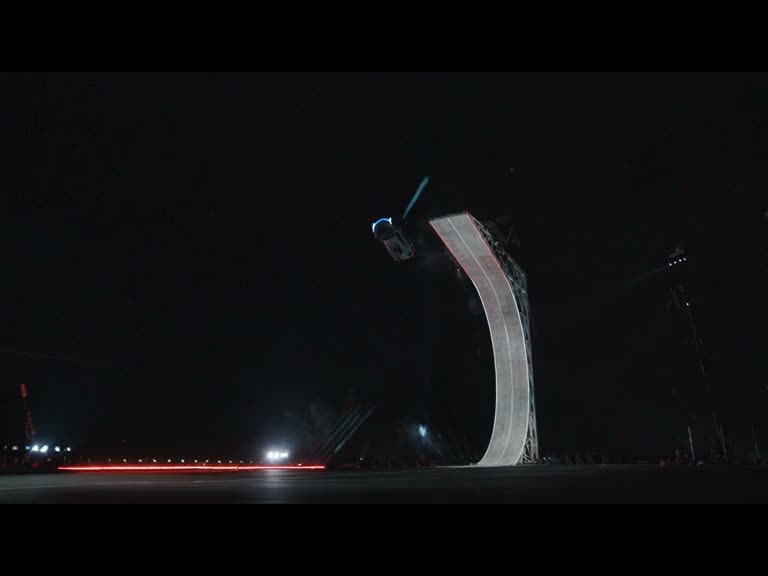
One vehicle photo. A curved ramp, an airborne flip and a smoky landing. Create your own silent flying car video.

Your vehicle. The complete ramp stunt.
Upload one clear vehicle photo. The built-in reference guides the ramp climb, airborne flip and landing. Your photo guides the vehicle appearance.
Seedance 2.5480p · 15s · 16:9Silent video

No subscription · Up to 255 credits/video · 1 vehicle/photo, 300–6000 px, up to 8 MB. Use Policy

Creation History

Examples

1 / 4
Loading example…

ONE VEHICLE PHOTO · THE COMPLETE STUNT

One stunt. One photo.

Your vehicle, guided by the fixed camera B ramp reference.

Create a stunt video

RECOMMENDED

$9.90/ MV

  • About 15 seconds · 480p · Silent
  • 255 credits
  • No subscription · No automatic renewal
  • Failed generations return credits
Number of MVs
1

1 × $9.90$9.90

255 credits

One-time credit purchase. Generation requires your separate confirmation.

Up to 255 credits/MV. Unused credits work across tools.
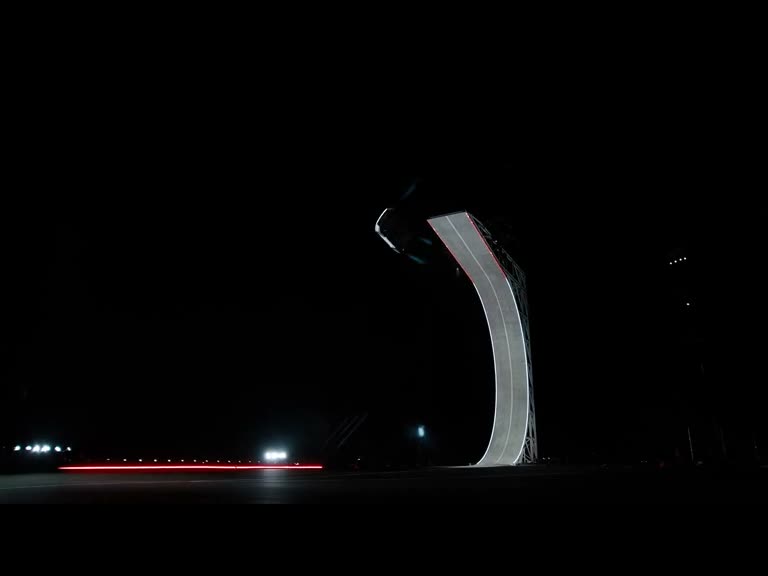
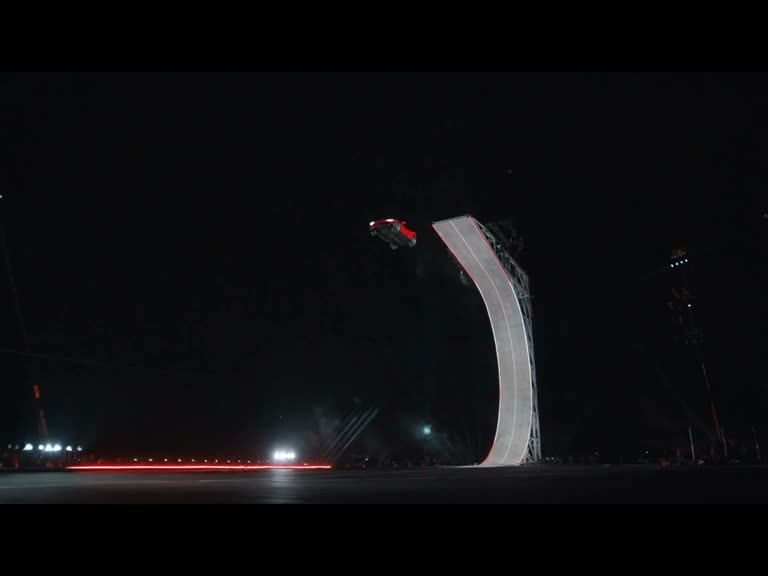
Camera B source ramp preview. Your photo guides the vehicle.

Choose your vehicle photo

Creating with other tools? View credit details →

01

One ramp. New possibilities.

Keep the ramp, flip and landing as a guide. Bring your own vehicle.

THE IDEA

You have the stunt. Make the vehicle your own.

Start with one clear vehicle photo. Flying Car AI uses a built-in ramp reference to guide a complete climb, airborne flip and smoky landing.

Source motion+Your vehicle photo→A flying car video
See the complete workflow
A third-party ramp stunt effect example
02

From source to your next version

Four steps. One complete creative workflow.

Built-in ramp reference
Watch the ramp climb and flip
01

Watch the reference

Watch the built-in ramp reference. No source video upload is needed.

Effect example frame, not the original input photo
Effect example frame
Upload your own vehicle photo
02

Add your vehicle photo

Upload one sharp vehicle photo with the whole body and wheels visible.

Video 1
Effect example frame
Example frame
Built-in motion + your vehicle photo
03

Review the stunt

Compare the original and effect examples. The ramp instructions are built in.

Quote first → generate → compare
04

Quote, create, compare

Confirm image rights and review the credit reservation. Create, review and download your silent MP4.

FOLLOW THE INPUTS

See how a complete example fits together

Built-in reference + vehicle photo → result
01 · THE INPUTS
Original source video
Video 1 · Source
Ramp stunt

Use the vehicle photo as the subject. Follow the curved ramp climb, airborne rotation and smoky landing of the built-in reference.

02 · THE RESULT · DRAG TO COMPARE

Selecting an example is free. These examples have no verified reusable input photos. Upload your own image before generating.

03

See what changes. See what guides it.

Compare the ramp climb, airborne rotation and landing across different vehicles.

RAMP CLIMB

Keep the movement. Change the vehicle.

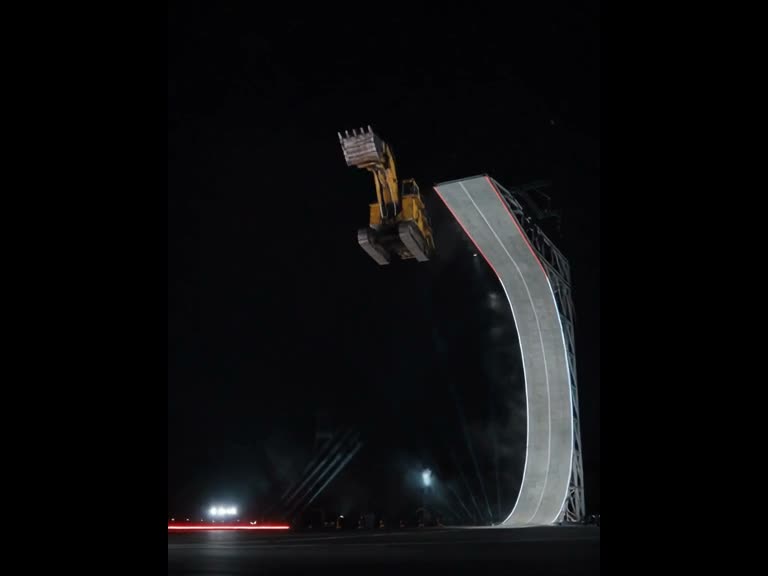
The reference guides the timing and camera movement. The excavator sample shows a different vehicle completing the same sequence. Slide across the same moment to compare.

Compare the excavator
AIRBORNE FLIP

Same shot. A different focal point.

Watch the red supercar lift off, rotate and touch down. Compare the vehicle shape, ramp geometry and landing when reviewing an AI result.

Compare the red supercar
ONE REFERENCE, DIFFERENT VEHICLES

The ramp. The vehicle. The landing.

These clips show the matching ramp reference and three effect examples. Each is a separate third-party clip, rather than a verified set of input assets.

Original reference +
Dark supercar +
Excavator +
Red supercar ↗
Learn to prepare useful references
EXPLORE A DIFFERENT TAKE

A direction worth trying again.

See four complete third-party effect examples using the same ramp and camera angle. When creating your own, review the result before sharing. Every new generation needs its own confirmed credit reservation.

V01
V02
V03
V04

Effect examples: Media.io. Matching ramp source: Tesla. Comparison copies are aligned to 15 seconds. These are third-party illustrations, not generations made on tryflyingcarai.com. View source ↗

04

Find your next starting point

Four complete ramp stunt examples. Compare each with the matching original.

Supercar
Ramp stunt

A dark supercar takes flight

Dark supercar · 15s aligned comparison

Excavator
Ramp stunt

Heavy machinery, airborne

Excavator · 15s aligned comparison

Red supercar
Ramp stunt

A new vehicle, the same ramp

Red supercar · 15s aligned comparison

Loader
Ramp stunt

A yellow loader completes the stunt

Yellow loader · 15s aligned comparison

Flying Car AI Pricing and Credit Plans

One-time payment · No subscription

Create a stunt video

RECOMMENDED

$9.90/ MV

  • About 15 seconds · 480p · Silent
  • 255 credits
  • No subscription · No automatic renewal
  • Failed generations return credits
Number of MVs
1

1 × $9.90$9.90

255 credits

One-time credit purchase. Generation requires your separate confirmation.

Up to 255 credits/MV. Unused credits work across tools.

Pay safely and securely with

  • Mastercard
  • Visa
  • Apple Pay
  • UnionPay
  • Google Pay
  • Discover
  • PayPal
  • Click to Pay
  • Bancontact
  • SEPA
  • Link
  • Diners Club
  • Crypto
  • Cash App
  • eftpos
  • Revolut Pay
05

A few things before you create

Inputs, modes, examples and credits, explained.

GOOD QUESTIONS

Less guesswork. More creating.

Need help with your workflow?
hi@tryflyingcarai.com ↗

01What does Flying Car AI create?

A vehicle-photo-guided stunt video: a curved ramp climb, airborne flip and smoky landing. The built-in reference guides the motion and camera.

02What do I need to upload?

One clear JPG, PNG or WebP vehicle photo, up to 8 MB and 300–6000 pixels per dimension. Show the complete body and wheels. Confirm you have image rights and any necessary consent.

03Do I need a prompt or reference video?

No. The ramp reference and motion instructions are built in. Selecting an example changes the preview; upload your own vehicle photo before creating.

04How long is the video? Is there audio?

Generation targets about 15 seconds at 480p in 16:9. Output is silent. For visual comparison, the reference and four examples have been retimed to 15 seconds with their original framing preserved inside a 4:3 player.

05How do credits and purchases work?

Review a reservation of up to 255 credits before generating. Failed tasks return credits. Buy 255 credits for $9.90, or choose a credit pack or subscription. Selecting examples does not generate or charge anything.

06Were these examples generated here?

These are third-party Media.io effect examples paired with the matching Tesla ramp reference. They illustrate the effect; exact competitor input photos and backend settings are unverified. This independent site is not affiliated with Tesla or Media.io. AI results can vary.

06 · FLYING CAR AI

Your vehicle. Ready for takeoff.

Bring one vehicle photo. Preview the ramp stunt. Create your flying car video.

Open Flying Car AI Studio ↑